Copy Links With Title
A Chrome Extension for Clean Links
Copy the current tab’s title together with its URL in one shortcut.
Share clean, readable links in chats, emails, documents, task trackers, and markdown tools.
Works in all Chromium browsers
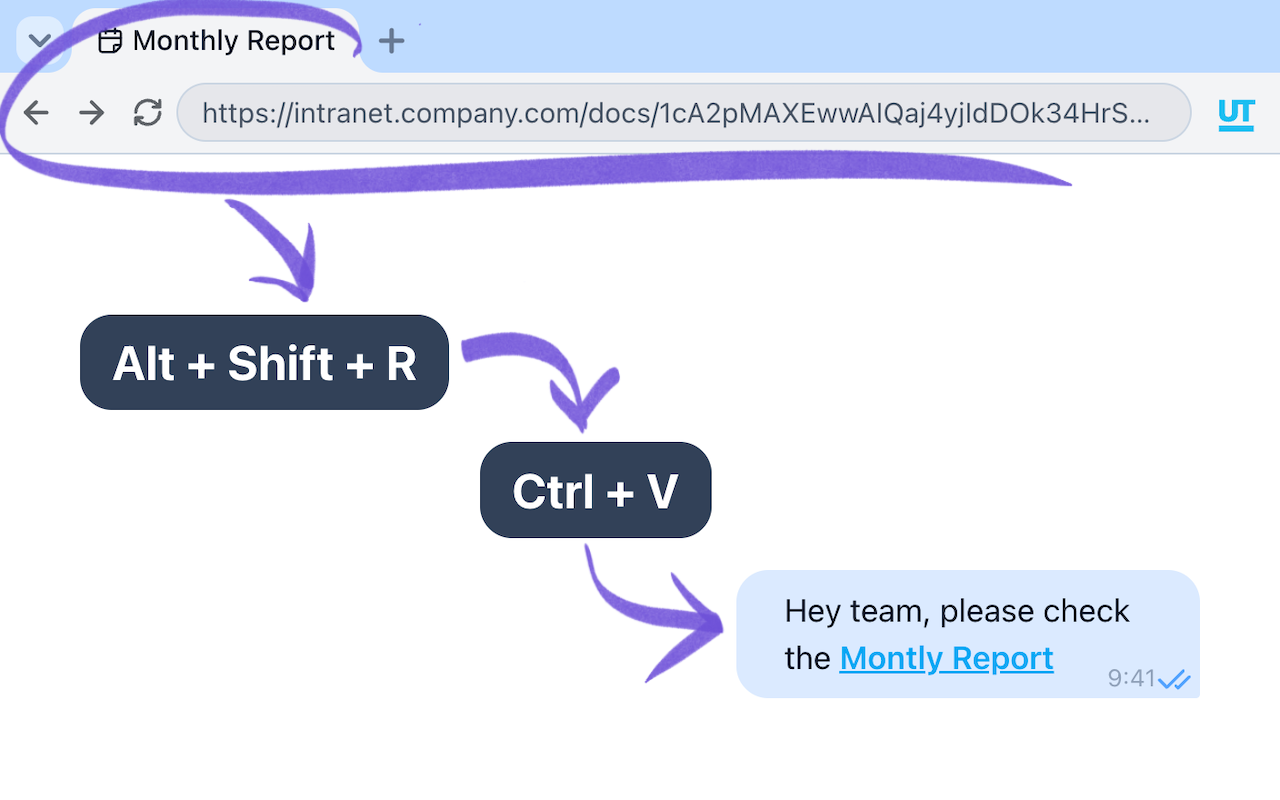
Raw URLs Lose Meaning
When you copy a raw URL, the message often loses context. In Slack, Google Chat, or Microsoft Teams, link previews may fail. Especially for intranet pages or links behind login.
As a result, people don’t know what the link is about until they open it. Copying the page title together with the URL solves this problem instantly.
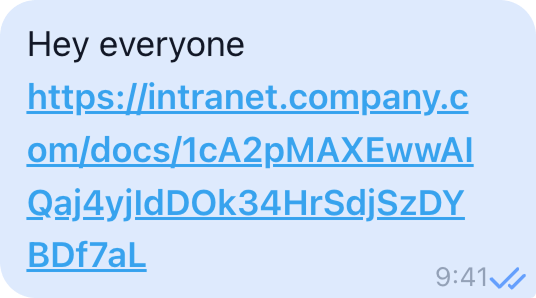
Default behavior
- ❌ No context in the message
- ❌ People must click to understand
- ❌ Long, noisy URLs
- ❌ Looks careless in professional chats
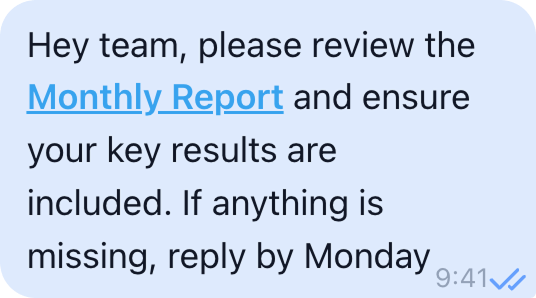
Professional behavior
- ✅ Topic is clear at first glance
- ✅ Clean, readable message
- ✅ Links explain themselves
- ✅ Communicates intent instantly
Install and stop fixing links manually →
Professionals always provide context. This extension makes it automatic.
One Press — A Link With Title
Copy the page title and URL in one press. No menus. No popups. Just the format you need.
Clickable Link • Rich Text
Copy clickable links with titles for Slack, Gmail, Google Chat, Jira, and other team tools.
Markdown
Copy links as markdown for Notion, Obsidian, GitHub, GitLab, and other markdown-based tools.
 [Monthly Report — Q4
Results](https://intranet.company.com/docs/1cA2pMAXEwwAIQaj4yjIdDO) Plain Text
Copy links as plain text with title and URL. Works everywhere, even where formatting is not supported.
Monthly Report — Q4 Results
https://intranet.company.com/docs/1cA2pMAXEwwAIQaj4yjIdDO Features
Three Formats
Use the right format everywhere.
- • Plain Text — works in any input
- • Clickable Link (Rich Text) — works in Word, Google Docs, chats
- • Markdown — perfect for Notion, Obsidian, Bear, GitHub
Copy once. Paste anywhere.
Keyboard First
Designed for focused work.
- • One shortcut per format
- • Instant copy
- • No UI interruptions
Clean Popup
Visual mode when you want it.
Click the extension icon to open a simple popup with format buttons.
No clutter.
No learning curve.
Fully Customizable
Adapt it to your workflow.
- • Set a custom shortcut for each format
- • Set a shortcut to open the popup
- • Or just click the icon
The extension stays out of your way.
Who This Extension Is For
This extension is made for professionals who share links every day:
- Developers and engineers
- Product managers and designers
- Researchers and writers
- Anyone who works in chats, docs, and notes
If you care about clarity and context in communication, this tool fits naturally into your workflow.
Make Your Links Clear
Stop fixing links by hand.
Copy them right the first time.
Frequently Asked Questions
Q: Does it work with internal or intranet links?
A: Yes. The extension copies the page title directly from the tab, even for internal systems.
Q: Can I customize keyboard shortcuts?
A: Yes. You can assign custom shortcuts for each format or open the popup.
Q: In what browsers does the extension work?
A: It works in all Chromium-based browsers and is available in the Chrome Web Store.
Q: Can I copy links with titles in any language?
A: Yes. The extension supports page titles in any language, including non-Latin characters. What you see in the tab is what gets copied.
Q: Is the extension free?
A: Yes. The extension is completely free to use.